![talentpeople.png]](https://knowledge.thetalentportal.co.uk/hs-fs/hubfs/talentpeople.png?height=40&name=talentpeople.png)
If you need to find your vacancy reference number, there are a few places you can find it!
-
The Vacancy Tab
This is the quickest way to find the ref number. Simply select Vacancy, search using the filters and the reference number appears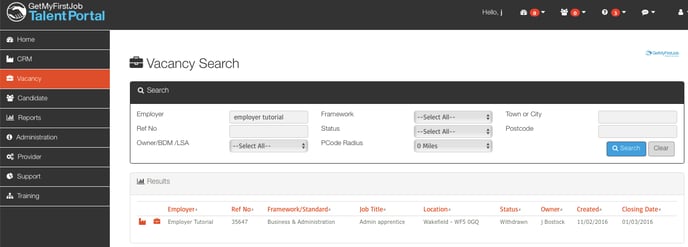
-
When on the manage ladder
And when you are managing the vacancy on the ladder, the reference number appears on the right hand side too.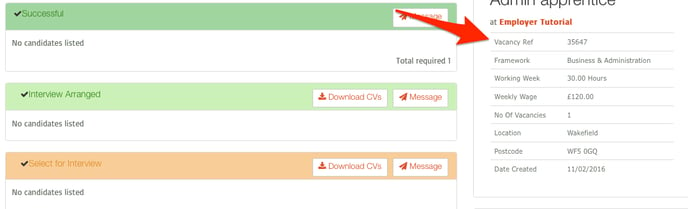
-
Look at the url
When you're on either the vacancy workflow, edit page or live advert you can view the vacancy reference number in the url bar.